

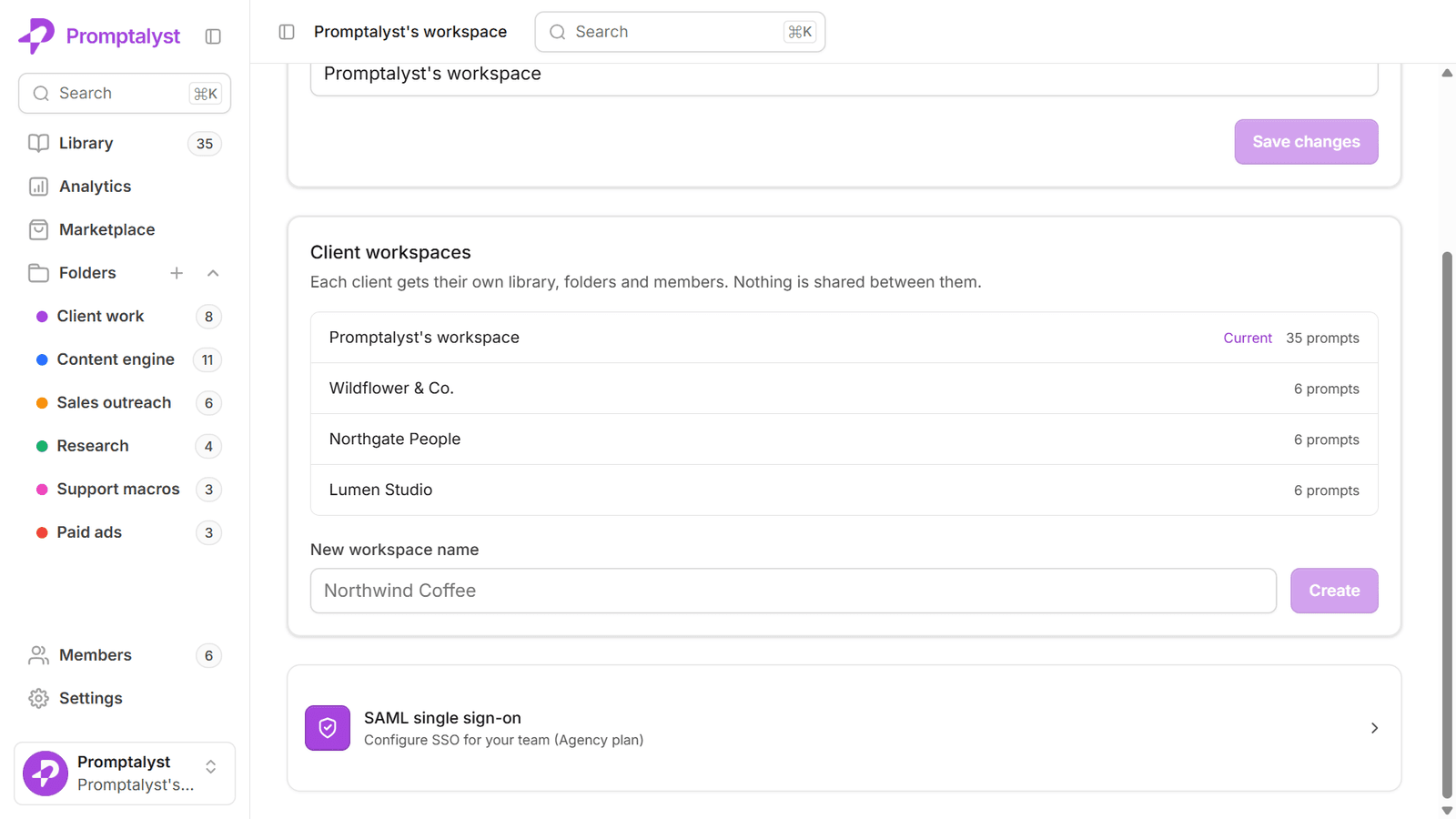
An in-house team needs one prompt library. An agency needs one per client, plus a house library that feeds all of them, plus a way to stop the two from contaminating each other. That is a genuinely harder problem, and the failure modes are specific.
The three problems that only agencies have
Brand bleed. The single worst outcome in agency work: a caption written in one client's voice goes out under another's name. It happens when a prompt hardcodes brand specifics and then gets copied sideways to the next account. Nobody does this deliberately; it happens because copying was the fastest way to reuse something.
Onboarding drag. Every new client starts from nothing. If setting up their prompt library is two days of copy-paste, that cost lands on every single win, and it silently caps how many accounts you can take on.
Access sprawl. Freelancers, contractors and client-side stakeholders all need some access. A single shared library means everyone can see everything, including the other clients you work with. That is a commercial problem as much as a security one.
Structure: one workspace per client
The structure that holds up is boring and rigid: a separate workspace per client, plus one internal workspace of your own.
Your agency (internal)  → house templates, new-business, reporting
Client A                → their prompts, their brand voice, their people
Client B                → their prompts, their brand voice, their people
Client C                → …
Rigid separation is the point. It means brand bleed stops being a discipline problem and becomes structurally impossible: a prompt in Client A's workspace cannot accidentally appear in Client B's, because there is no path between them that doesn't involve a deliberate action.
It also makes offboarding clean. When a client leaves, you archive one workspace. You are not hunting through a shared library deciding which prompts were theirs.
Write house templates brand-agnostic
The house workspace is where the leverage is — but only if the templates in it are written to travel.
The rule: anything client-specific is a variable, never literal text.
Here is a house template that travels:
You are a social copywriter for {{brand}}. Their tone is {{tone}}.
Write {{count}} Instagram captions for {{product}}, aimed at {{audience}}.
Keep each under 150 characters and end with a soft call to action.
And here is the same prompt after someone "helpfully" specialised it:
You are a social copywriter for Northwind Coffee. Their tone is warm,
a bit wry, never corporate. Write 5 Instagram captions for their cold
brew range, aimed at office workers aged 25–40...
The second one produces better output for Northwind and is worthless for everyone else. Worse, when it gets copied to the next client, someone has to remember to change every literal — and that is exactly the moment brand bleed happens.
Keep the specifics in variables, and keep the values for those variables in the client's own workspace.
Give every client a brand-voice prompt
The single highest-leverage prompt in a client workspace isn't a caption generator. It's a short, carefully written description of how that client sounds, which every other prompt references.
{{brand_voice}} = Warm and direct. Short sentences. Dry humour, never
puns. Says "we" not "the company". Never uses "elevate", "unlock",
"game-changing". British spelling.
Write it once, properly, with the account lead. Then every prompt in that workspace fills {{brand_voice}} from it. When the client's positioning shifts, you update one field instead of forty prompts — and every prompt shifts with it.
The "never uses" list matters more than people expect. Negative constraints do more to make output sound like a specific brand than positive ones do, because the generic-AI-marketing register is made of a fairly small set of words.
Onboard a new client in an hour
With the house library written properly, a new account looks like:
- Create the client's workspace.
- Import the house starter set.
- Write their
{{brand_voice}}with the account lead — this is the part that deserves real attention. - Invite the team: strategists as editors, client-side stakeholders as viewers.
- Run three prompts and check the output sounds right. Adjust the voice prompt, not the templates.
Step 3 is the only step that takes thought. Everything else is mechanical, which is the whole point of having a house library.
Match roles to commercial reality
Access control on an agency account is a commercial question wearing a technical hat:
- Owner — you. Billing, workspace lifecycle, the ability to remove people.
- Editor — strategists and senior creatives who write and refine prompts.
- Viewer — freelancers on a single campaign, junior staff, and client-side stakeholders who want to see the work without being able to change it.
Give client stakeholders viewer access to their own workspace deliberately, rather than emailing screenshots. It is a genuine retention feature: a client who can see the prompt library you've built for them can see the asset they'd be walking away from.
What to measure
Two numbers tell you whether the system is working:
- Run count per prompt, per client. Prompts nobody runs are clutter. Prompts everyone runs are candidates for promotion into the house library.
- Time from signed contract to first useful output. This is the number that decides how many accounts you can carry. If it is measured in days, the house library isn't doing its job.
Promote proven prompts upward — client workspace to house library — but strip the specifics on the way. That loop, run consistently, is what turns a collection of prompts into an actual agency asset.