

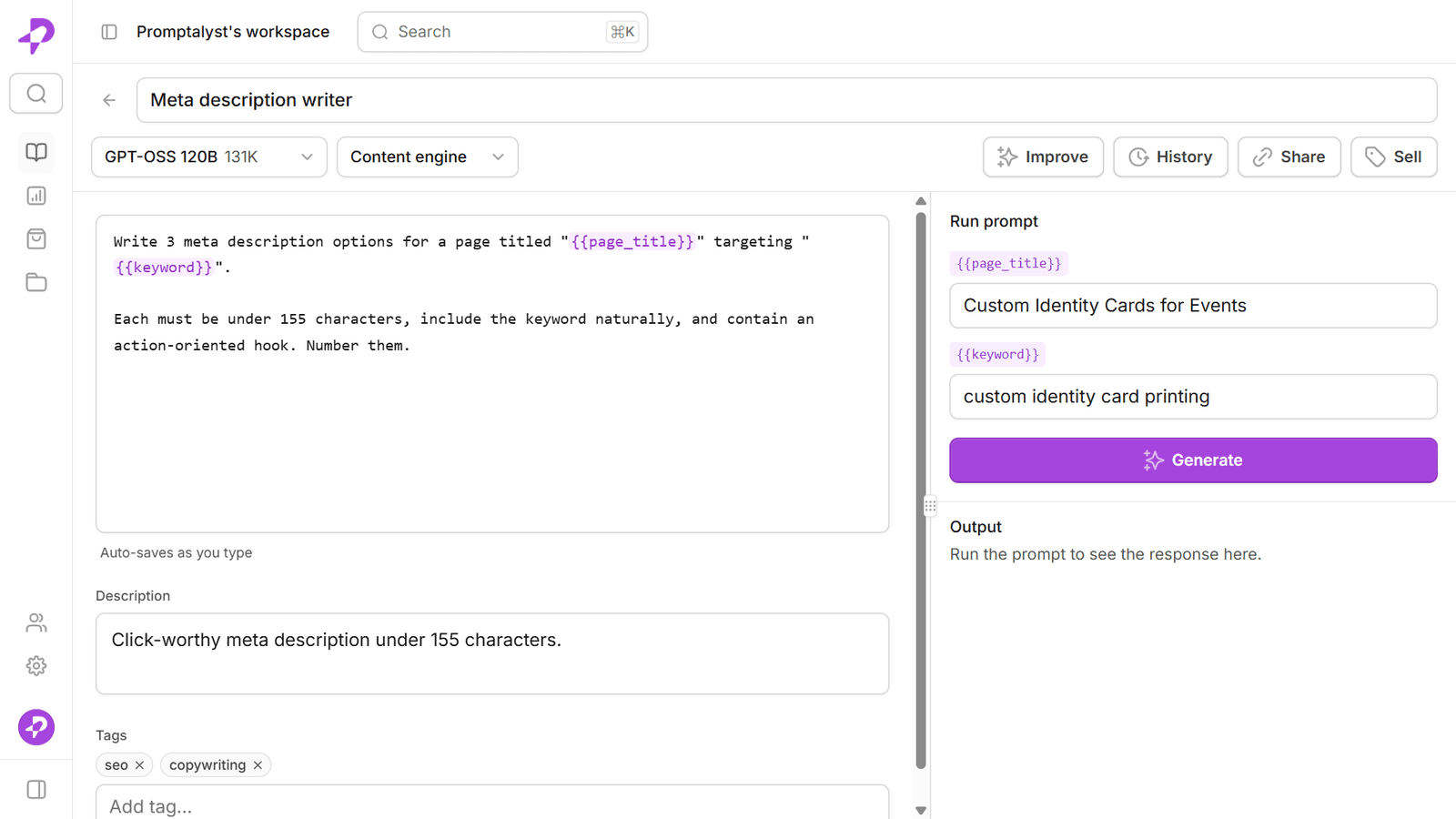
The difference between a prompt you use once and a prompt your whole team reuses for months is almost always variables. A well-designed template with a couple of clear placeholders turns a one-off instruction into a reusable asset. Here's how to write them well.
What a variable prompt is
A variable is a placeholder you fill in at run time. Instead of editing the prompt every time, you write it once with fields like {{product}} or {{audience}}, and swap in the specifics when you run it.
So this static prompt:
Write 10 Instagram captions for our new oat milk latte, aimed at busy commuters.
becomes this reusable template:
Write 10 Instagram captions for {{product}}, aimed at {{audience}}.
Now anyone on the team can run it for any product and any audience — same structure, consistent output, zero rewriting.
Name your variables clearly
Good variable names read like form labels, because that's effectively what they become. A few rules that pay off:
- Be specific.
{{product}}beats{{thing}};{{target_audience}}beats{{who}}. - Use snake_case. Stick to letters, numbers and underscores so names stay tidy and predictable.
- Keep them reusable. Prefer
{{brand}}over a specific client's name, so the same template works everywhere. - Don't over-parameterise. Two or three well-chosen variables are easier to fill than eight. Variables are for the parts that change, not every word.
Design prompts your whole team can run
A template is only reusable if the next person can run it without asking you what to type. When you write one for the team:
- Put the instructions and tone in the prompt, and leave only the specifics as variables.
- Add a short description so teammates know when to use it.
- Tag it and file it in a folder so it's findable later.
The goal is that a new team member can open the prompt, see {{product}} and {{audience}}, fill them in, and get on-brand output on the first try.
A worked example
Here's a caption template built to be run by anyone:
You are a social copywriter for {{brand}}. Write 5 Instagram captions for
{{product}}, aimed at {{audience}}. Keep them under 150 characters, upbeat but
not cheesy, and end each with a soft call to action.
Three variables — {{brand}}, {{product}}, {{audience}} — carry everything that changes between uses. The voice, length, and format are baked in, so the output stays consistent no matter who runs it.
Version it, then share it
Prompts improve with use. When you tweak the wording and the results get better, you want that improvement captured — and reversible if a change backfires. Saving a version on every edit means your best template keeps getting sharper without anyone losing the version that already worked.
Once it's solid, share it. A variable prompt that lives in one person's notes helps one person; the same prompt in a shared library helps the whole team run consistent AI work every day.
That's the model Promptalyst is built around: reusable {{variable}} prompts, automatic version history, and a shared workspace with roles — free to start. See how teams put it to work in our use cases.