

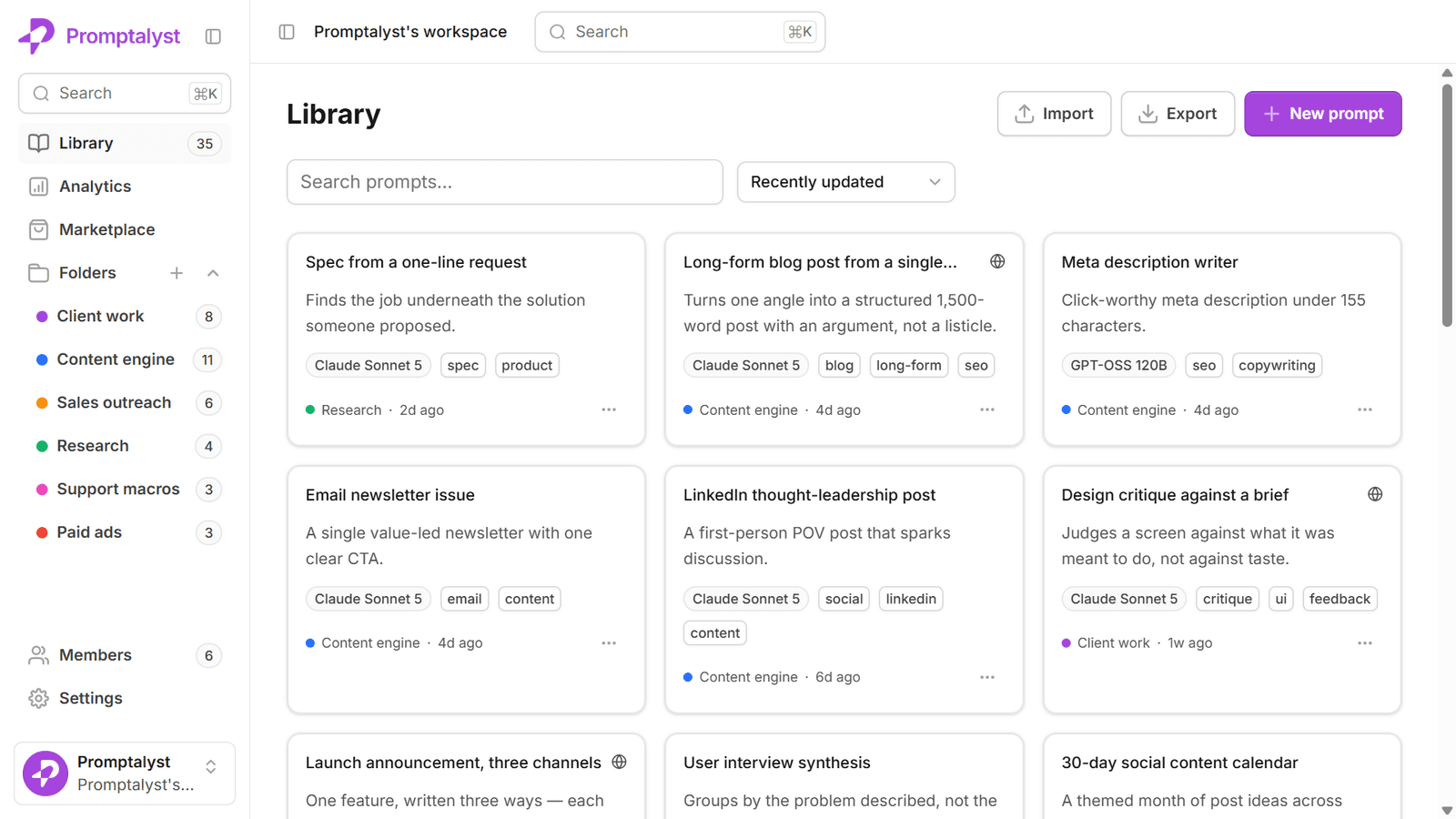
If your team uses AI every day, you've almost certainly written a prompt that worked brilliantly — a caption that landed, an outline that saved an hour — and then never found it again. It's buried in a ChatGPT history, a Slack thread, or someone's personal notes. A prompt library fixes exactly that.
What a prompt library is
A prompt library is a single, shared home for your team's best AI prompts. Instead of retyping the same instructions or hunting through chat history, you save a prompt once, organise it, and reuse it whenever you need it. The good ones do four things a document can't:
- Reuse — save a prompt as a template and run it again in seconds.
- Variables — swap in details like
{{brand}}or{{product}}at run time instead of editing the prompt each time. - Versions — keep a history of every change, so you can see what improved a prompt and roll back if a change made it worse.
- Sharing — give your whole team the same vetted prompts, with roles that control who can edit them.
The problem with how most teams store prompts
Most teams start by keeping prompts in the obvious places: a Notion page, a Google Doc, or nowhere at all. It works — until it doesn't. A doc has no concept of a variable, so every use means editing text by hand. There's no way to run a prompt against a model without copying it into another tab. And once you have dozens of prompts across dozens of docs, finding the right one is its own chore.
The result is quietly expensive: people rewrite prompts from scratch, output drifts off-brand, and the person who wrote your best-performing prompt becomes a bottleneck.
Why marketing teams feel it first
Marketing teams tend to hit this wall earliest because they run the same kinds of prompts constantly — captions, ad variations, subject lines, repurposing a blog into a thread — across many brands, campaigns, and channels. That's a lot of near-identical prompts that should be one reusable template each.
A prompt library turns "write me ten Instagram captions" from something you retype daily into a saved prompt with a {{product}} field that anyone on the team can run, on-brand, in one click.
A doc, or a dedicated tool?
If you only reach for AI occasionally and keep a handful of prompts, a doc is genuinely fine. A dedicated prompt library earns its place the moment prompts become part of daily work — when you need them organised, consistent, runnable, and shared. We wrote an honest comparison of the trade-offs in Promptalyst vs Notion and Google Docs.
Getting started
You don't need to reorganise everything at once. Start by saving the five prompts you actually reuse, add a variable or two, and share them with your team. From there it compounds — every good prompt you capture is one you never have to rewrite.
That's exactly what Promptalyst is built for: a private prompt library where your team can save, organise, version, share, and run prompts across every major model. It's free to start, and you can see how different teams use it in our use cases.